
Why Amazon Image Compliance Is High-Stakes in 2026
Amazon sellers have always had to respect image rules. What changed in 2026 is that Amazon's automated image review is now AI-driven and ruthless. Where a 2023 seller could get away with an off-white main image if nobody flagged it, today's upload pipeline checks every pixel of the background against RGB (255, 255, 255) and suppresses the listing the same hour. Same goes for sub-1000px uploads (zoom disabled), text or watermarks of any size, and products that occupy less than 85% of the frame.
For sellers with one hundred SKUs, a compliance miss is a minor annoyance. For sellers with five hundred or five thousand, it's a revenue event — a suspended listing loses its keyword rank, its A9 signals, and its advertising continuity until the replacement image re-indexes, which can take 48-72 hours once resubmitted. Multiply that by a 10-15% baseline rejection rate on imagery-heavy catalogs and the arithmetic is grim.
This guide is written for the 2026 reality: every product image is a compliance checkpoint, a ranking signal, and a conversion driver simultaneously. Optimizing any one of those three without respecting the other two gets you penalized. We cover:
- The 2026 Amazon image spec table — main, ALT, A+ Content, Posts, Store
- The 7-image formula that actually ranks on A9
- A+ Content image specs and the modules that matter most
- Image SEO: alt text, backend keywords, and the A9 signals that route traffic
- Compliance gotchas — the top 10 suppression reasons and how to prevent them
- An AI workflow for producing a catalog-scale compliant image set in under a day per 50 SKUs
- A 7-day action plan for sellers with existing listings that need compliance cleanup
If you're new to product photography fundamentals — lighting, backgrounds, framing — start with our Product Photography for Beginners (2026) guide first, then come back here for Amazon-specific compliance.
If you're running cross-border from China or Southeast Asia, the Chinese version of this pillar is rewritten for that workflow (1688 sourcing, Brand Registry, cross-border logistics), not a translation.
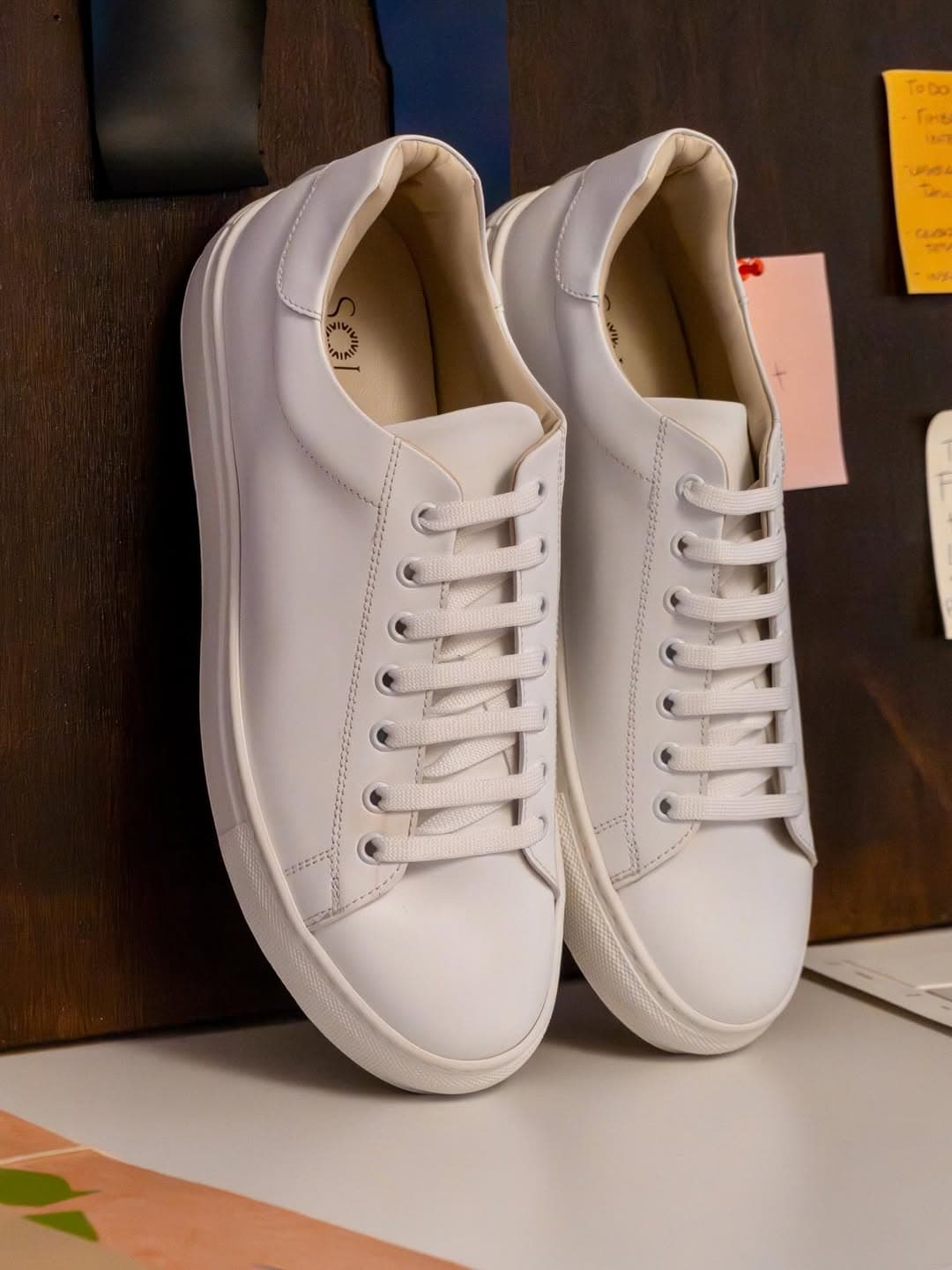 BEFORE
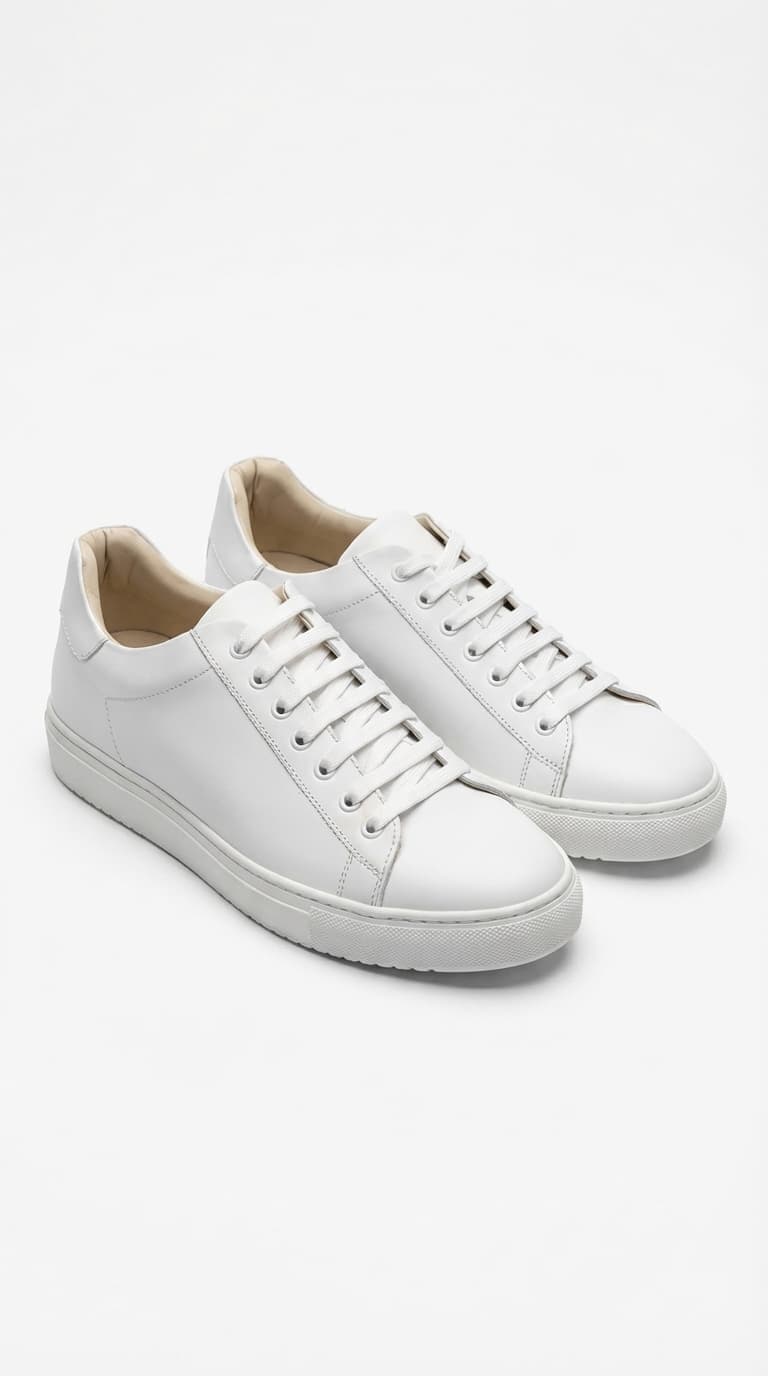 AFTER
AFTERThe 2026 Amazon Image Spec Table
Before strategy, the specs. Amazon's image pipeline has more moving parts than any other marketplace — main image, up to 8 ALT images, A+ Content modules, Amazon Posts, Amazon Store pages, Sponsored Brand ads. Each has distinct specs, each has its own common rejection pattern.
Verify at upload time: Amazon tightens specs quarterly. The data below reflects the April 2026 ruleset. Seller Central publishes the current version under Help → Image Requirements.
Main image — the single most rigorously enforced asset
| Field | Spec |
|---|---|
| Aspect ratio | 1:1 (square) — strongly recommended |
| Minimum resolution | 1000 px on the longest side (below this, zoom-on-hover is disabled) |
| Recommended resolution | 2000 to 3000 px on the longest side |
| Background | Pure white — RGB (255, 255, 255) exactly. Amazon's AI detects deviations invisible to the human eye. |
| Product fill | 85% of frame minimum — smaller and the listing auto-flags |
| File formats | JPEG (recommended), PNG, TIFF, non-animated GIF |
| Color space | sRGB |
| File naming | {ASIN or UPC}.MAIN.jpg — e.g. B012345678.MAIN.jpg |
| Text / watermarks / logos | Prohibited — including your own brand mark if it's not physically on the product |
| Props, accessories, inset images | Prohibited if not sold with the item |
| People, models | Prohibited for most categories (apparel is the exception) |
Additional product images (ALT — up to 8)
| Field | Spec |
|---|---|
| Count | Up to 8 (total 9 with main) |
| Recommended resolution | 2000-3000 px longest side |
| Background | Not required to be white — lifestyle, infographic-style, scale, usage are all allowed |
| File naming | {ASIN}.PT01.jpg through {ASIN}.PT08.jpg |
| Text overlays | Permitted, but must be legible at thumbnail size |
| Common formats | Lifestyle, detail macro, scale reference, infographic, comparison, packaging |
A+ Content (EBC for legacy sellers)
A+ Content lives on the product detail page below the bullet points. Brand-registered sellers get access to A+ Basic; larger brands get A+ Premium.
| Module type | Image dimension | Notes |
|---|---|---|
| Standard full-width banner | 970 × 300 px | Hero visual at the top of A+ |
| Premium full-width banner | 1464 × 600 px | A+ Premium only |
| 4-image comparison row | 300 × 300 px each | 4 cells, square images |
| Product + 2 images / Single image + text | 300 × 300 px or 600 × 450 px | Module dependent |
| Product comparison table | 150 × 300 px per thumbnail | Small column images |
Module specs vary — always confirm in the Seller Central upload UI. A+ Content modules typically show the expected pixel count above each upload zone.
Amazon Posts (social-style feed within Amazon)
| Field | Spec |
|---|---|
| Image aspect ratio | 1:1 (square) |
| Minimum resolution | 640 × 640 px |
| Recommended resolution | 1000 × 1000 px or larger |
| Content style | Lifestyle, storytelling — not product-only |
| Text overlays | Up to 2200 character caption (separate from image) |
Amazon Store (brand storefront)
| Tile | Spec |
|---|---|
| Full-width hero | 1500 × 725 px minimum (3000 × 600 px recommended for high-DPI) |
| Video | MP4, under 5 GB, H.264 codec, 1920 × 1080 recommended |
| Product collection image | 600 × 600 px minimum |
| Gallery image | 3000 × 600 px recommended |
The 7-Image Formula That Actually Ranks on A9
Amazon's A9 ranking algorithm uses image quality signals as an explicit ranking factor. Listings with only the required main image rank lower than listings with a full 7-image set, even at the same sales velocity. The asset formula below is the minimum that every listing — at any price point, in any category — should have.
Image 1 — Main (white background, hero angle)
The only mandatory image. Pure white RGB (255, 255, 255), product at 85-95% frame fill, shot at the "hero angle" for your product category (front-facing for most consumer goods, 30-45° 3/4 view for shoes, top-down for flat goods). This is the thumbnail shoppers see in search results — the single most important image in your entire Amazon presence.
Image 2 — In-use / lifestyle shot
Product being used in its intended context. Human hand or body in frame if appropriate. This is the "does this solve my problem" image — it converts shoppers who are comparing you against alternatives. Skip the model-wearing-product unless you're in apparel.
Image 3 — Scale reference
"How big is it really?" answered visually. Product next to a human hand, a coin, a standard household object. Saves you from post-purchase returns driven by sizing surprise.
Image 4 — Key feature infographic
Callout labels pointing to the 3-5 key features that justify your price. Text overlays are permitted on ALT images (just not the main). Design discipline matters — a cluttered infographic tanks dwell time.
Image 5 — What's in the box / package contents
Literal shot of the product plus every accessory and packaging item. Sets accurate expectations, which reduces negative reviews driven by "I thought it came with X".
Image 6 — Material / quality close-up
Macro shot that showcases material quality, stitching, finish, or texture. This is the "is this really premium?" image. Critical for higher-priced SKUs.
Image 7 — Comparison or variant grid
If your product has multiple colorways or a spec comparison to competitors, this is where it lives. Visual variants are a conversion multiplier.
Some categories add an 8th video slot (separate from the 7-image pack) — a 30-60 second PDP video which is a different medium worth producing separately. See our AI Product Video pillar treatment for the video workflow; it applies to Amazon video too.
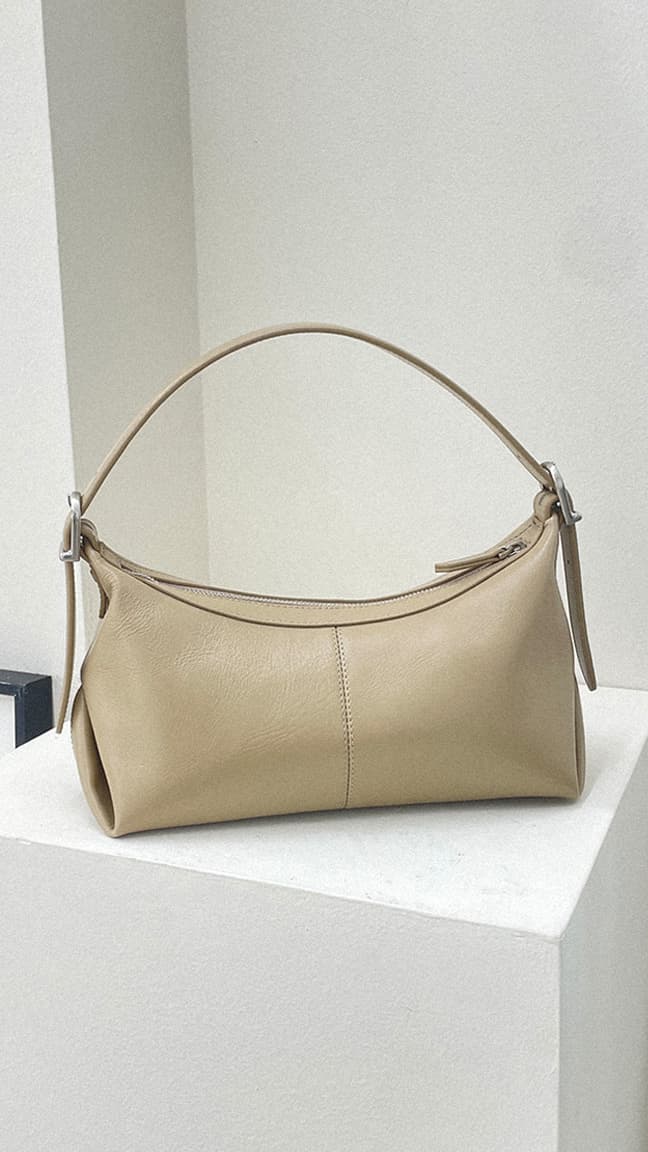 BEFORE
 AFTER
AFTERA+ Content Image Specs and Best Practices
A+ Content (formerly EBC) is the brand-registered section below the bullet points on the PDP. It lifts conversion 3-10% in most categories and is essentially free real estate — if your brand is registered, there's no reason not to use it.
Modules worth investing in (in order)
1. Standard 970 × 300 px full-width banner. Your "brand masthead" — the single wide image at the top of A+. Use it for a hero lifestyle shot plus your brand name and value proposition. This is often the most-viewed image on your PDP because it appears immediately after the bullet points.
2. 4-image comparison row (300 × 300 px each). A grid of 4 product variants or 4 feature highlights. High conversion impact because it lets shoppers visually compare sub-variants or understand a feature set at a glance.
3. Single image + text module. Hero product image (600 × 450 px typically) with supporting paragraph copy. Use for long-form feature explanations that don't fit in bullet points.
4. Product comparison table. 150 × 300 px thumbnails comparing your own SKUs (upsell ladder) or comparing you against competitor category norms. Especially powerful for Amazon Brand Registry sellers building a product family.
A+ Content design principles
- Keep text overlays minimal in the banner. A shopper scrolling fast won't read a paragraph; they'll register the image and scroll past.
- Use consistent brand colors, fonts, and photography style across A+ modules — the PDP is your brand showcase inside Amazon.
- Leave whitespace. Cramming every pixel hurts visual hierarchy and skim-reading.
- Mobile-first: over 70% of Amazon traffic is mobile. A+ modules render smaller on mobile; test that every image and text block remains legible below 400px width.
Image SEO on Amazon: Alt Text, Backend, and A9 Signals
Amazon's search engine (A9) uses image-related signals you can influence beyond the pixels themselves.
Alt text (on A+ Content and Posts)
Every A+ image has an alt text field. Fill it with a natural-language description including your top 1-2 keywords. Alt text is read by screen readers and by A9. Don't keyword-stuff — "red wool scarf for women winter oversized merino" beats "scarf wool red merino oversized winter cozy gift".
Backend search terms
The Listing Quality Dashboard pulls signals from backend search term fields (found under Edit Product → Offer → Search terms). Keep to 250 characters total, no commas, no repeat keywords that are already in your title or bullets. Include common misspellings and language variants.
The A9 signals image quality actually feeds
A9 doesn't rank you on "image aesthetic quality" per se, but it does rank you on:
- Click-through rate from search — a better main image lifts CTR, which lifts rank
- Conversion rate once clicked — lifestyle images and videos lift CVR, which lifts rank
- Dwell time on the PDP — A+ Content lifts dwell time, which lifts rank
- Return rate — accurate scale/material imagery reduces returns, which protects rank
So the whole 7-image formula is an SEO play, not just a conversion play. One good main image isn't enough.
Compliance Gotchas — Top 10 Suppression Reasons and Fixes
Amazon's automated image review flags listings at upload. The most common suppression reasons in 2026:
1. Main image background isn't pure white. Even off-white (RGB 253, 253, 253) triggers suppression. Fix: use Picoko Background Remover to produce a transparent cut-out, then place on a pure white layer.
2. Main image has text, watermarks, or logos not physically on the product. Fix: use Magic Eraser to remove watermarks, or regenerate via AI Product Photoshoot.
3. Main image resolution below 1000 px. Disables zoom, reduces CTR. Fix: Image Upscaler to hit the 2000+ px recommendation.
4. Product occupies less than 85% of frame. Fix: re-crop or regenerate with tighter framing.
5. Main image includes props or accessories not sold with the product. Fix: isolate the actual product via Background Remover, place on clean white.
6. Models or people in non-apparel categories. Amazon permits humans only in apparel, beauty, and some personal care. For electronics, home goods, etc. — remove via Magic Eraser.
7. Main image shows packaging instead of the product itself. Fix: photograph the actual product, reserve packaging for ALT image 5.
8. Images lack consistent aspect ratio across the 7-image pack. Inconsistent aspect ratios cause awkward cropping on mobile. Fix: normalize all images to 1:1.
9. File extensions inconsistent with declared format. Example: .jpg file that's actually a PNG internally. Fix: re-export through a proper converter.
10. Duplicate images within a single listing. Fix: remove exact duplicates via the Media Manager before publishing.
Most of these are catchable pre-upload. A 10-minute checklist before each listing goes live saves 48-72 hours of suspension recovery time.
 BEFORE
 AFTER
AFTERAI Workflow for Catalog-Scale Amazon Production
If you have 50+ SKUs on Amazon and you're still hand-photographing or outsourcing to a studio for each listing, your unit economics are broken. The workflow below produces a full 7-image pack plus A+ Content assets from one source photo per SKU, in roughly 90 minutes of curation per product.
Input required: one clean studio-grade photo per SKU. Phone + white paper + window light works. Or an existing supplier image at 1200 px or higher.
Step 1 — Main image. Run your source through Background Remover to produce a transparent PNG. Place on pure white. Upscale to 2048 × 2048 via Image Upscaler. This is your Image 1 — fully Amazon-compliant, zoom-enabled.
Step 2 — Lifestyle ALT (Image 2). Feed the source photo into AI Product Photoshoot with a lifestyle scene prompt. For apparel and personal care, use AI Model Photoshoot instead for on-model imagery.
Step 3 — Scale reference (Image 3). Generate via AI Product Photoshoot with a "product in human hand" or "product next to household object" prompt. One of the hardest images to shoot physically; one of the easiest to generate.
Step 4 — Feature infographic (Image 4). This requires design work, not pure AI. Generate a clean product photo via Picoko, then overlay callout labels in Canva or Figma. Template the overlay once, reuse across the catalog.
Step 5 — What's in the box (Image 5). Flat-lay composition of the product plus accessories. Flat Lay produces the composition; for multi-piece sets, composite the Picoko outputs manually.
Step 6 — Material close-up (Image 6). Macro detail shot. Generate via Picoko with a "close-up macro of [material]" prompt.
Step 7 — Variant or comparison grid (Image 7). Grid layout of color variants or feature comparisons. Generate each variant via Background Changer with a different color prompt, then composite to a 4-cell grid.
Step 8 — A+ Content banner (optional but high-ROI). 970 × 300 px lifestyle banner generated via AI Product Photoshoot with a wide-aspect prompt.
Output per SKU: 7 Amazon main-listing images + 1 A+ hero banner = a complete Amazon asset pack. A 50-SKU catalog takes roughly 2-3 days of focused work for one operator, versus 3-4 weeks of traditional photography coordination.
The underlying prompt methodology — scene definition, visual consistency, brand lock — is covered in depth in the Visual Syntax Framework. Study that pillar first; it makes the per-SKU workflow 2-3x faster.
Benchmarks: What "Good" Looks Like on Amazon in 2026
Amazon-specific image quality metrics are harder to benchmark than TikTok Shop or Shopify because A9's signals are opaque. The public benchmarks that correlate with image investment:
| Metric | Weak | Solid | Strong |
|---|---|---|---|
| Click-through rate from search | < 0.3% | 0.5-0.8% | 1%+ |
| Detail page conversion rate | < 5% | 8-12% | 15%+ |
| A+ Content dwell time lift | 0% | 3-5% | 7-10% |
| Return rate | 12%+ | 6-10% | < 5% |
| "Image quality" customer complaints | 5%+ of reviews | 1-3% | < 1% |
The single highest-leverage image you can invest in remains the main image. It drives CTR from search (the upstream of all downstream metrics) and is the single point where a slightly-too-casual photo costs you 20-40% of your potential click volume against a compliant-but-polished alternative.
For a working ROI lens on AI-driven visual production at the catalog scale, the small-ecommerce case study documents 80-85% photography cost reduction and 23% conversion lift for a 200-SKU operator — the economics translate directly to an Amazon-first seller.
Your 7-Day Action Plan for Amazon Photography
If you have an existing Amazon catalog with compliance gaps, here's the sequence that gets you out of the danger zone fastest.
Day 1 — Audit. Open Seller Central's Listing Quality Dashboard. Filter for suppressed listings and "Image" flags. Make a spreadsheet of every SKU with a compliance issue, tagged by issue type (white background, resolution, watermark, etc.).
Day 2 — Triage the main images. For every SKU with a non-compliant main image, generate a replacement via the Step 1 workflow above. Pure white, 2048 px, no text. Upload in batches.
Day 3 — Expand to 7 images. For every SKU with fewer than 7 images, generate the missing ones. Start with your top-10 revenue SKUs — the ROI concentration is enormous.
Day 4 — A+ Content for top 10. If brand-registered, build A+ Content for your top 10 SKUs. At minimum a 970 × 300 banner + 4-image comparison row. Skip this if you're not brand-registered — fix that first via Seller Central Brand Registry.
Day 5 — Alt text and backend keywords. For every revised listing, update alt text on A+ images and refresh backend search terms. Each listing takes 5 minutes. Templatize the alt text pattern.
Day 6 — Publish and measure baseline. Push all revisions live. Record current CTR, CVR, and ranking for your top 10 SKUs as the baseline.
Day 7 — 24-hour lookback. Check the same metrics after 24 hours. Amazon re-indexes within 48-72 hours; the first 24 is the leading indicator. Fix any re-flagged listings immediately; the auto-flag rate drops dramatically after your first clean upload.
After day 7, the routine is quarterly: re-audit the catalog, re-shoot or regenerate any SKUs where A9 rank has slipped, and stay ahead of Amazon's quarterly policy refreshes.
Next Steps
Amazon's 2026 image environment rewards three things that most sellers don't have together: strict compliance, the full 7-image pack, and A+ Content quality. The sellers who invest in all three outrank and out-convert sellers who nail one or two. The good news is that AI-assisted production collapses the cost structure of doing all three, which means the competitive floor is rising even as per-seller effort drops.
Pick your starting point:
- You have a suspended listing: Step 1 of the AI workflow above fixes your main image in 10 minutes. AI Product Photoshoot handles it end-to-end.
- You have a compliant but thin catalog: Run the 7-image formula across your top 10 SKUs. Budget 90 minutes per SKU for curation.
- You're Brand-Registered and not using A+ Content: Build your 10 highest-revenue SKUs' A+ modules this week. Biggest untapped conversion lever most registered sellers leave on the table.
- You're launching an Amazon storefront from scratch: Start with the 3-scene system logic from our Shopify pillar — the catalog consistency principle works identically across platforms, even though Amazon's compliance rules are stricter.
Related reading
- The Visual Syntax Framework for AI Product Photography — the prompting methodology behind every generation in this workflow
- AI Background Removal Complete Guide 2026 — specifics for producing Amazon-compliant pure white backgrounds
- Complete Guide to E-commerce Image Optimization — technical SEO under the hood
- TikTok Shop Product Photography Complete Guide 2026 — companion pillar for sellers running Amazon + TikTok Shop in parallel
- Shopify Product Photography Complete Guide 2026 — companion pillar for DTC brands running both marketplaces and an owned Shopify store